 khata.tech
 Contacts
Last updated August 6, 2026
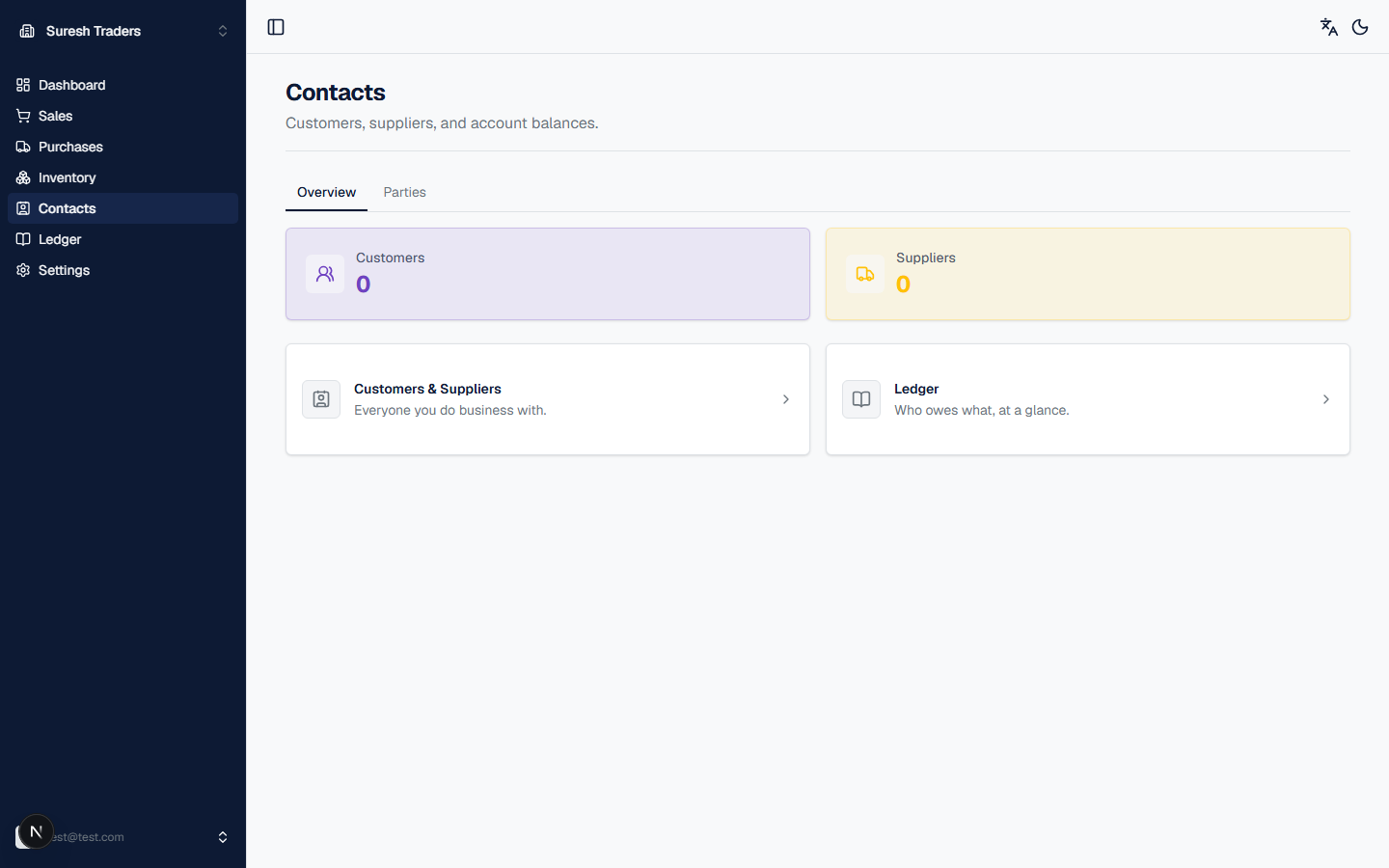
Contacts holds everyone you do business with — customers and suppliers — plus a running balance for each. Add your customers and suppliers here before creating orders; you'll pick from this list every time.
The section has two tabs: Overview and Parties.
Step 1: Add a customer or supplier
- Click the Parties tab.
- Click New party (top right).
- Fill in the form:
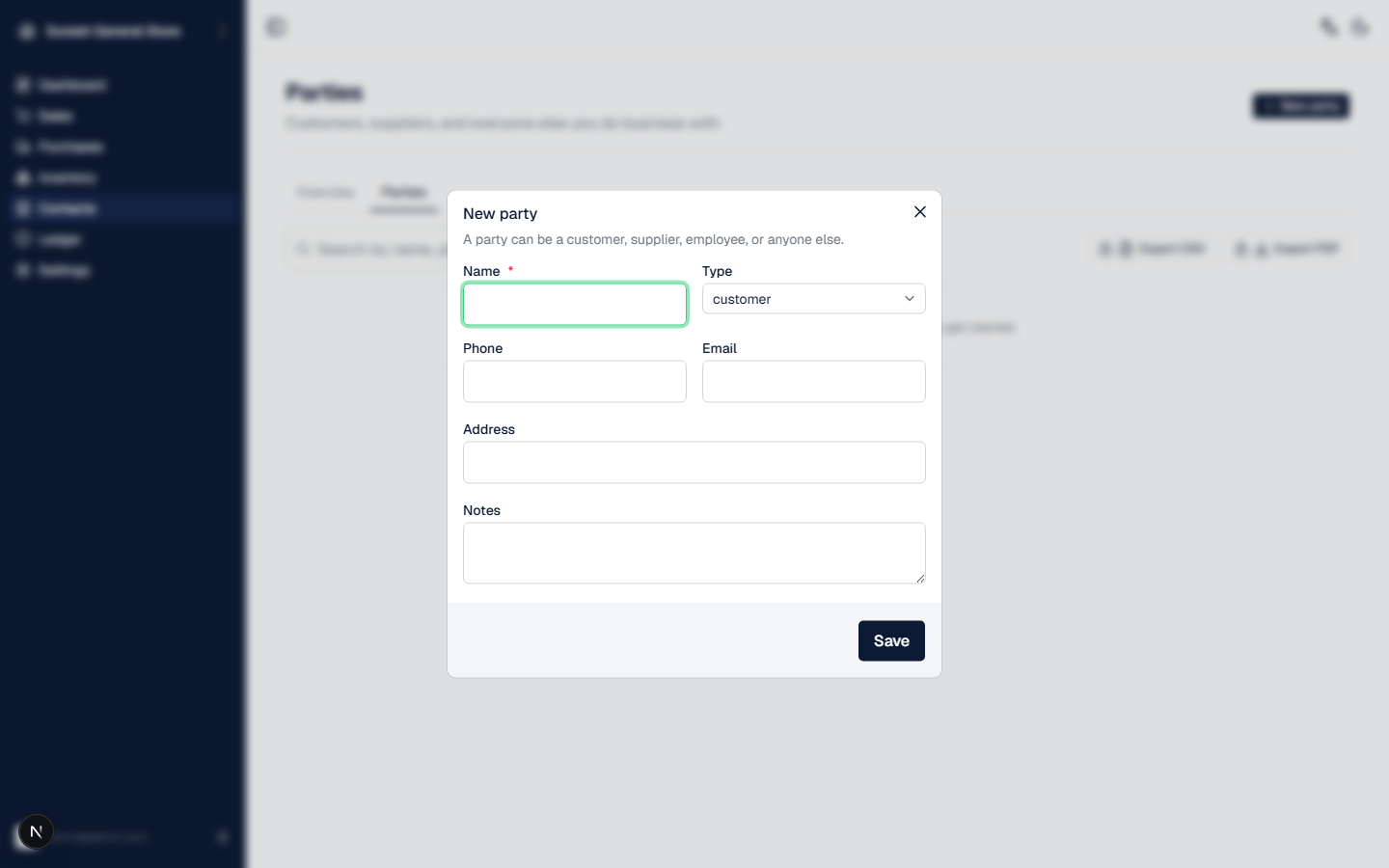
- Name — required.
- Type — pick customer, supplier, employee, or other. This matters: customers are who you'll pick from when creating a sales order, and suppliers are who you'll pick from when creating a purchase order. Pick the wrong type and they won't show up where you expect.
- Phone, Email, Address, Notes — all optional, fill in what's useful for your records.
- Click Save.
That's it — the party now shows up in the picker on new orders and purchases, and starts tracking a balance the moment you confirm a sale or purchase involving them.
Step 2: Find what you're looking for
Back on the Overview tab, you get two shortcuts:
- Customers & Suppliers — the full list, everyone you do business with
- Ledger — who owes what, at a glance (see Ledger for the full picture, including transaction history per party)
What's not here yet
Contacts in khata.tech is deliberately simple right now — it's a party list with balances, not a full CRM. There's no lead pipeline, no follow-up reminders, and no customer segmentation (e.g. wholesale vs. retail) yet. If your workflow depends on any of those, you'll need a separate tool alongside khata.tech for now.